Aural ID Application
Flexible Binaural Virtual Monitoring
Our Aural ID Application software for macOS turns professional headphones into a powerful, highly mobile tool for precision audio production – from large-scale immersive all the way down to stereo.
Try Aural ID Application for 30 days with our free trial.
Access Studio Monitoring Anywhere
Whether you engineer sound for music, film, broadcast, gaming or are in academic research – using stereo, immersive or other layouts – Aural ID Application and its optional Head Tracker process the channel feeds to your selected headphone output to deliver a spatially correct, neutral listening experience on headphones that closely resembles that of using studio monitors.
Although high-quality calibrated studio monitors – such as our SAM™ models – are unrivalled for monitoring precision, binaural virtual monitoring with Aural ID Application offers the possibility of similar accuracy on headphones. Ultimately, Aural ID Application provides a smooth bridge between studio and headphone monitoring – freeing you to work reliably and consistently anywhere.
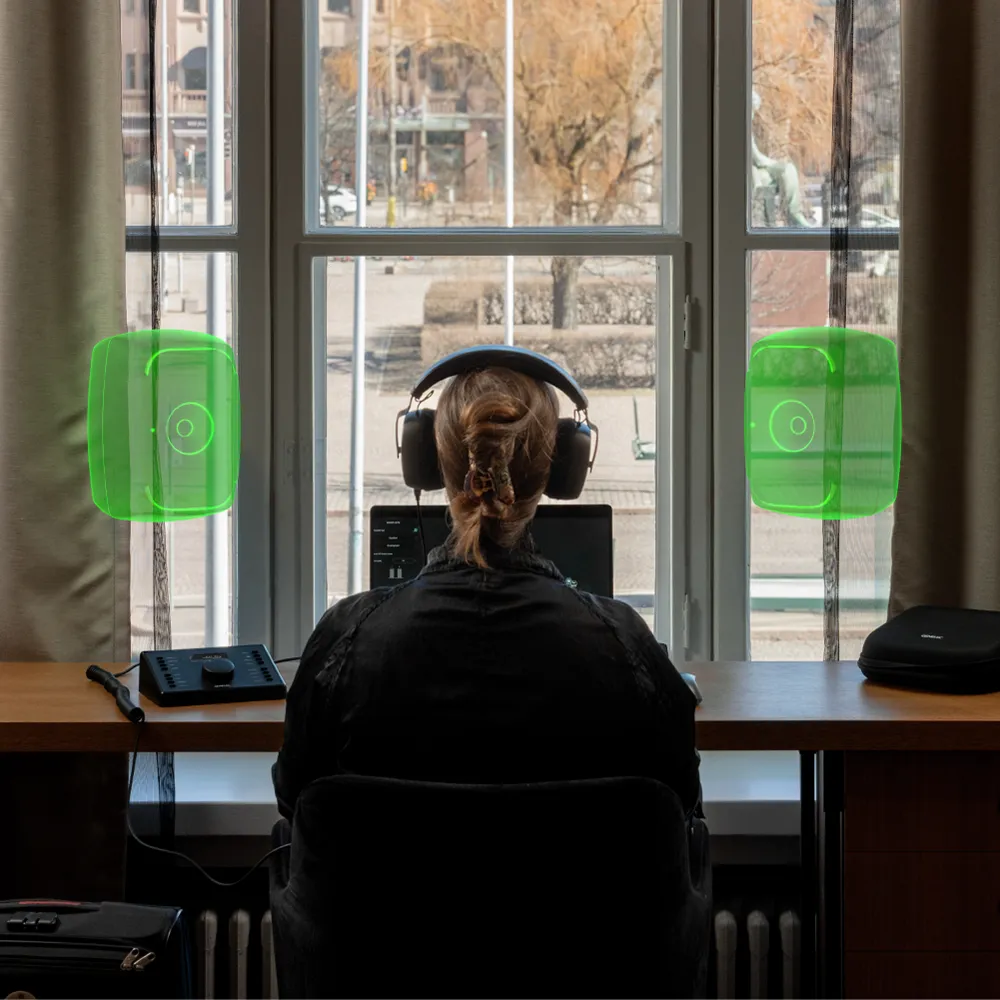
Sound is Universal. The Way We Experience it – Deeply Personal.
How can Aural ID Application ensure my experience is personally accurate?
Aural ID Application includes the widely used KEMAR and KU100 head and torso simulator HRTF profiles. However, for those seeking the finest accuracy on headphones, Genelec offers optimal precision via an upgrade to your personal Aural ID HRTF profile, which contains all the intricate details of your directional hearing.
Obtaining your Aural ID HRTF determines in advance the response of your hearing system in 836 directions of sound arrival, ensuring flexibility in fine tuning the presentation for you – using scientifically proven methodology.
How is my Aural ID HRTF created?
Ordering your Aural ID HRTF is simple. First, using our easy Aural ID Creator mobile app, you collect the data needed for our photogrammetry process. Then, Genelec's team of experts create a 360-degree 3D model of your upper body, including precise details of your head and ears, before carefully modelling how your shape influences audio arriving to your ears – resulting in your own HRTF.
Selecting your own HRTF in Aural ID Application enables you to hear all the nuances of your audio mix and allows you to perceive the very finest adjustments to individual virtual monitor locations, levels and system sound colour, for maximum monitoring accuracy.
For more details, read Genelec Chief Technology Officer Aki Mäkivirta's in-depth blog.
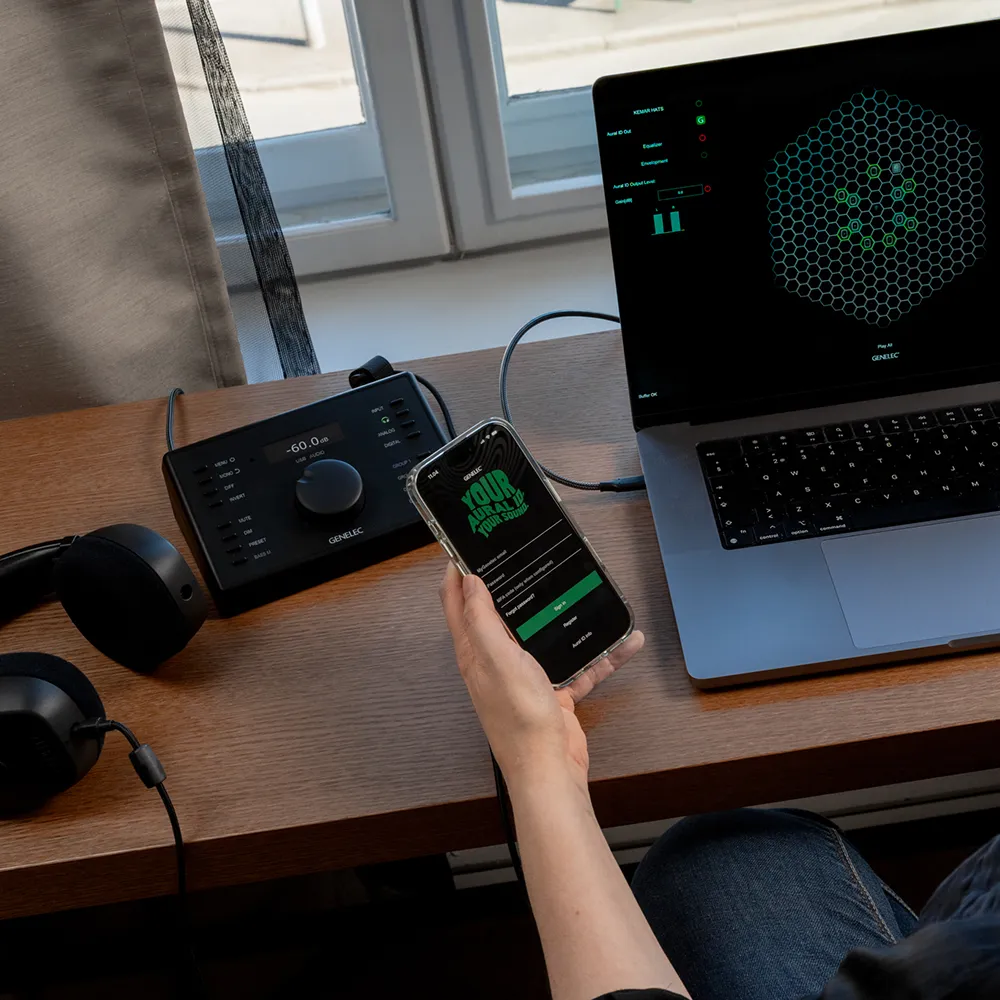
Get started
Click the drop-down box for a more detailed comparison of licence plans and pricing – and be sure to take advantage of our free 30-day trial, which allows you to try Aural ID Application with the universal KEMAR profile.

Free 30-day Trial
Experience Aural ID free for 30 days with the universal KEMAR profile. No credit card required.
Includes
- Free Aural ID access for 30 days to use with the universal KEMAR HRTF profile.

Annual Subscription
Get started quickly with Aural ID using the universal KEMAR profile – and upgrade to your unique Aural ID HRTF profile any time you like.
Includes
- Annual access to Aural ID Application (using generic KEMAR and KU100 HRTF profiles) and Aural ID Head Tracker.
- All software updates during subscription.
Optional add-ons
- Create and use your unique Aural ID HRTF profile for a one-time fee of € 225.
- SOFA file of your Aural ID HRTF for use with 3rd-party software, for a one-time fee of € 100.

Perpetual Licence
This one-time payment gives you the complete tailor-made Aural ID 2 binaural virtual monitoring solution and the right to use it for as long as you wish.
Includes
- Perpetual access to Aural ID Application 2.x and Aural ID Head Tracker.
- All version 2.x updates.
- Your unique Aural ID HRTF profile.
- Your personal SOFA file of your Aural ID HRTF for 3rd-party software.
Optional add-ons
- Future Aural ID software major version upgrades for € 150.

Enterprise Model
We offer custom-specified plans for large organisations – such as universities – with multiple listeners requiring their own unique Aural ID HRTF profiles for high accuracy.
Includes
- Access to Aural ID Application 2.x and Aural ID Head Tracker.
- All version 2.x updates.
- Tailor-made Aural ID HRTF profiles.
- Future Aural ID software major version upgrades
Optional add-ons
- SOFA files of unique Aural ID HRTF profiles for use with 3rd-party software
Plan comparison
Free Trial
Aural ID Annual
Aural ID Perpetual
Aural ID Enterprise
* Creating your unique tailor-made Aural ID HRTF profile is not a requirement for using Aural ID with the Annual Subscription, as the software can be used with the included universal KEMAR profile
** With webcam or any OSC compliant head tracking device
*** Aural ID Application supports all high-quality headphones, but for the best experience we recommend using the Genelec PRM System
**** Requires your unique Aural ID HRTF profile
Common Setups and Precision Levels
Just a few of the many flexible ways Aural ID Application can be set up

Essential
Get started
What you need:
- Aural ID Application (Includes KEMAR HRTF)
- Reference-grade headphones
- Audio interface
Essential
Get started
What you need:
- Aural ID Application (Includes KEMAR HRTF)
- Reference-grade headphones
- Audio interface
Essential Setup
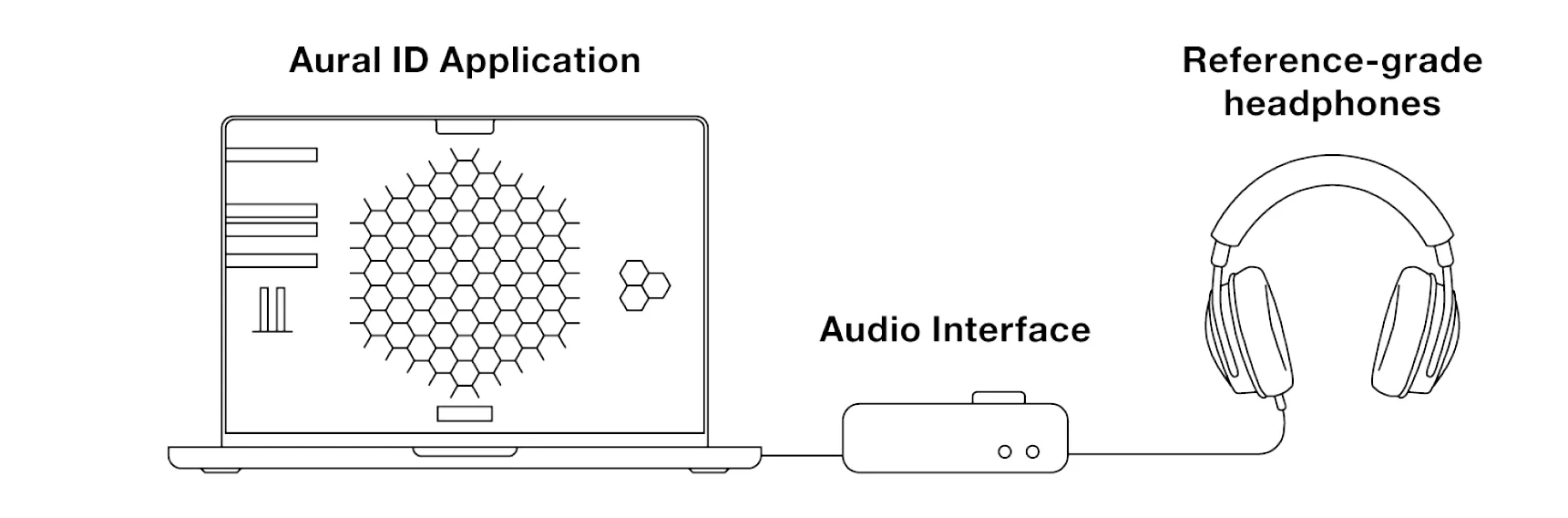
It’s simple to get started! All you need is Aural ID Application installed on your Mac, a pair of reference-grade headphones, and a headphone output. The software’s free universal KEMAR HRTF profile allows you to get a feel for Aural ID binaural virtual monitoring. Please note that KEMAR is generic and intended for demonstration purposes. To access the highest accuracy it is necessary to upgrade to your unique Aural ID HRTF, which is made according to detailed measurements of your ears, head and torso.
Be sure to take advantage of our 30-day trial period!
How it works



In MyGenelec, navigate to shop, activate your Aural ID licence and purchase your unique HRTF profile.
Then go to downloads and download the Aural ID Application.
Adjust settins in Aural ID Application with our Quick Setup Guide
Get to know these elements

Elevated
High accuracy
What you need:
- Aural ID Application
- Your unique Aural ID HRTF profile
- Reference-grade headphones
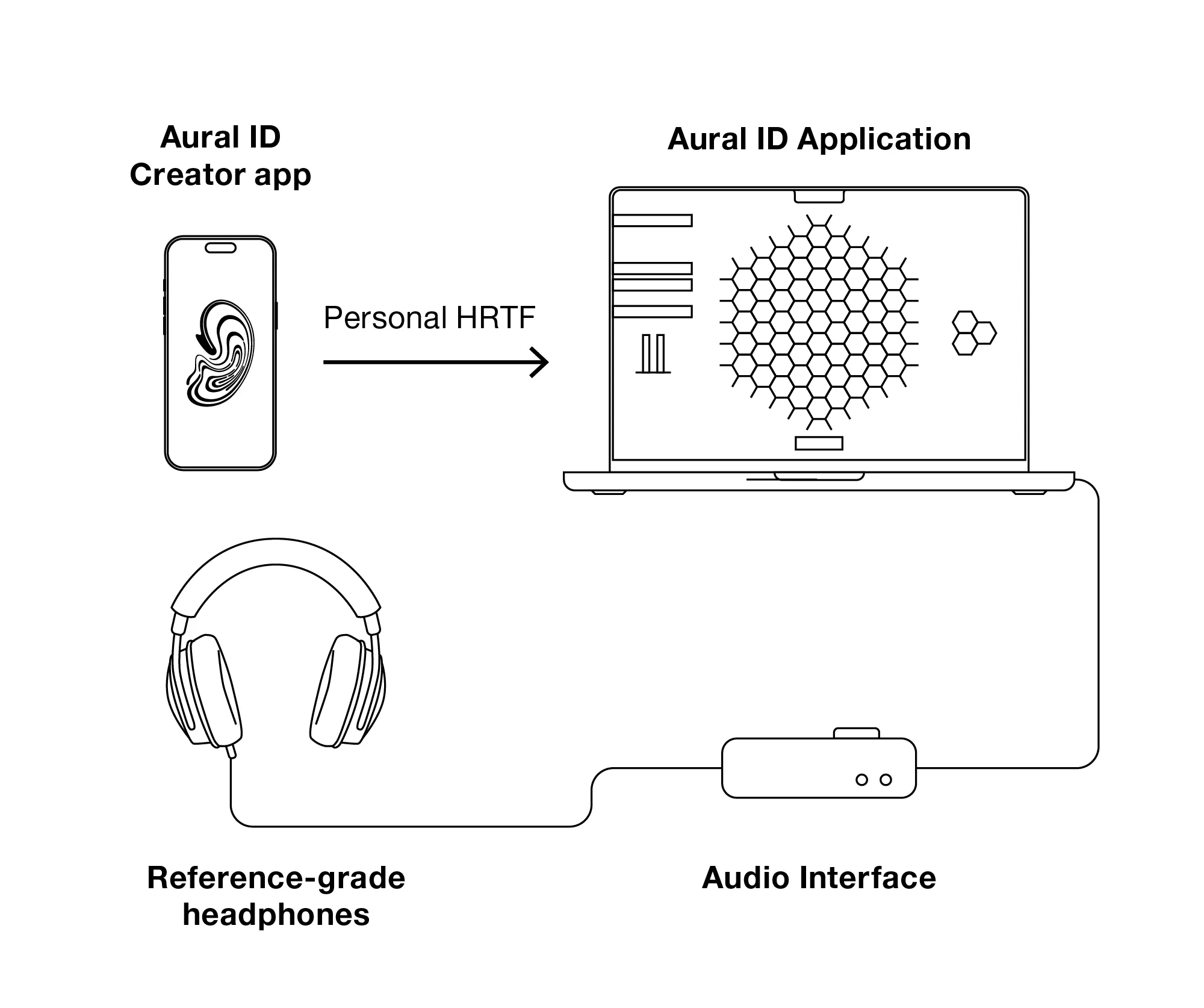
- Audio interface
Elevated
High accuracy
What you need:
- Aural ID Application
- Your unique Aural ID HRTF profile
- Reference-grade headphones
- Audio interface
Elevated Setup

How it works
In MyGenelec, navigate to shop, activate your Aural ID licence and purchase your unique HRTF profile.
Then go to downloads and download the Aural ID Application.

Install Genelec Aural ID Creator app in Apple App Store or Google Play Store and log in to your MyGenelec account.
Create your HRTF profile according to the instructions given in the app.

Create your HRTF profile according to the instructions given on the app. It's good to have a friend helping to capture the needed footage.


Our experts will check and process your data - and contact you if needed.
We'll notify you by email when your Aural ID HRTF is ready.
Adjust settins in Aural ID Application with our Quick Setup Guide
Get to know these elements


Advanced
Total accuracy
What you need:
- Aural ID Application and Head Tracker
- Your unique Aural ID HRTF profile
- Personal Reference Monitoring (PRM) System
- GLM Software
Advanced
Total accuracy
What you need:
- Aural ID Application and Head Tracker
- Your unique Aural ID HRTF profile
- Personal Reference Monitoring (PRM) System
- GLM Software
Advanced setup
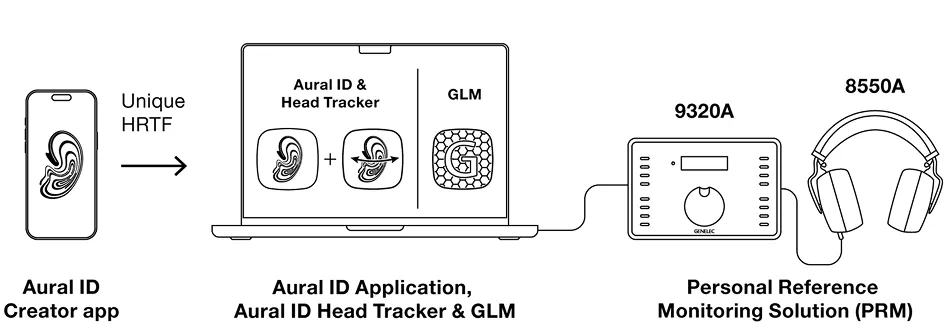
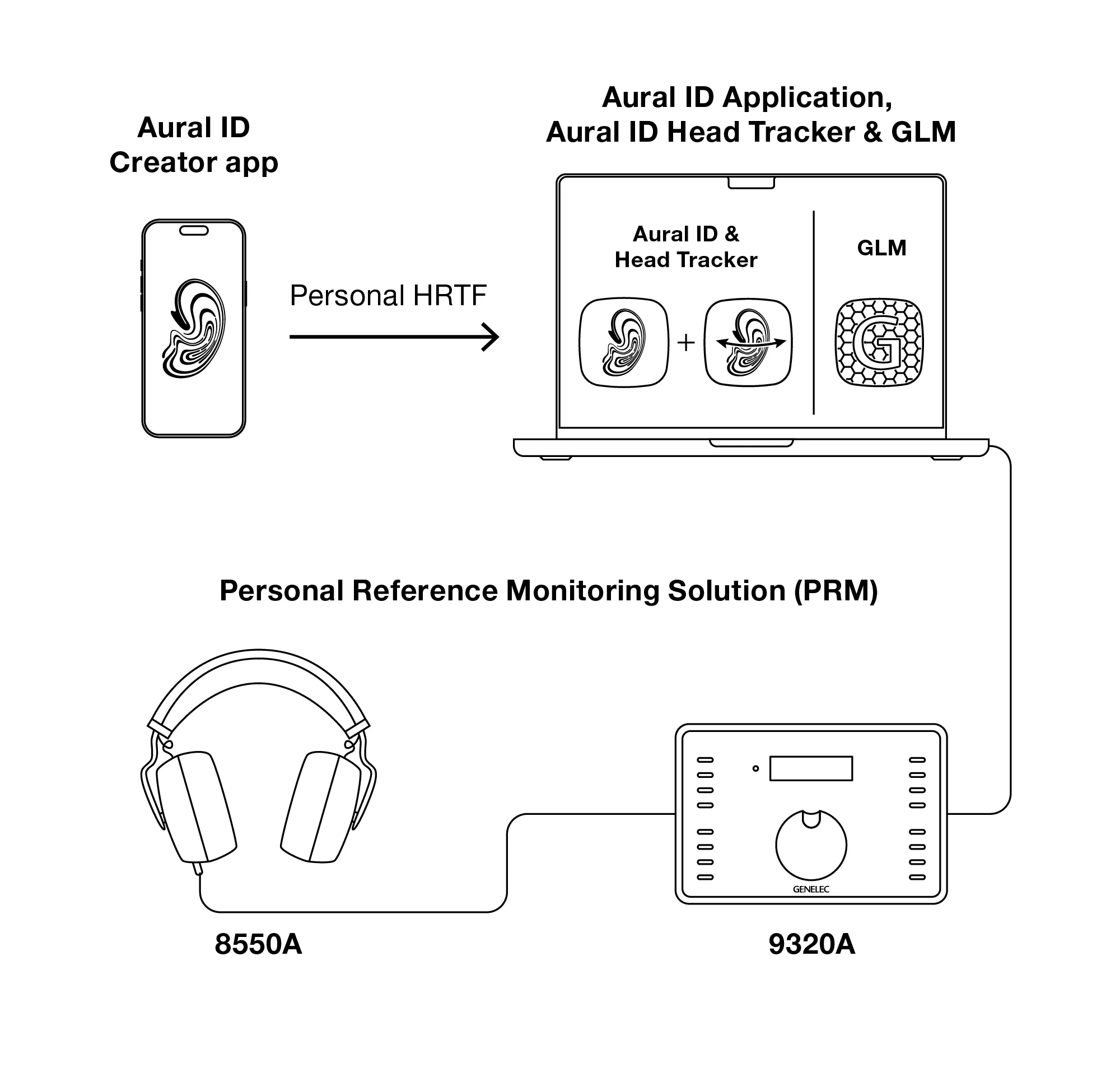
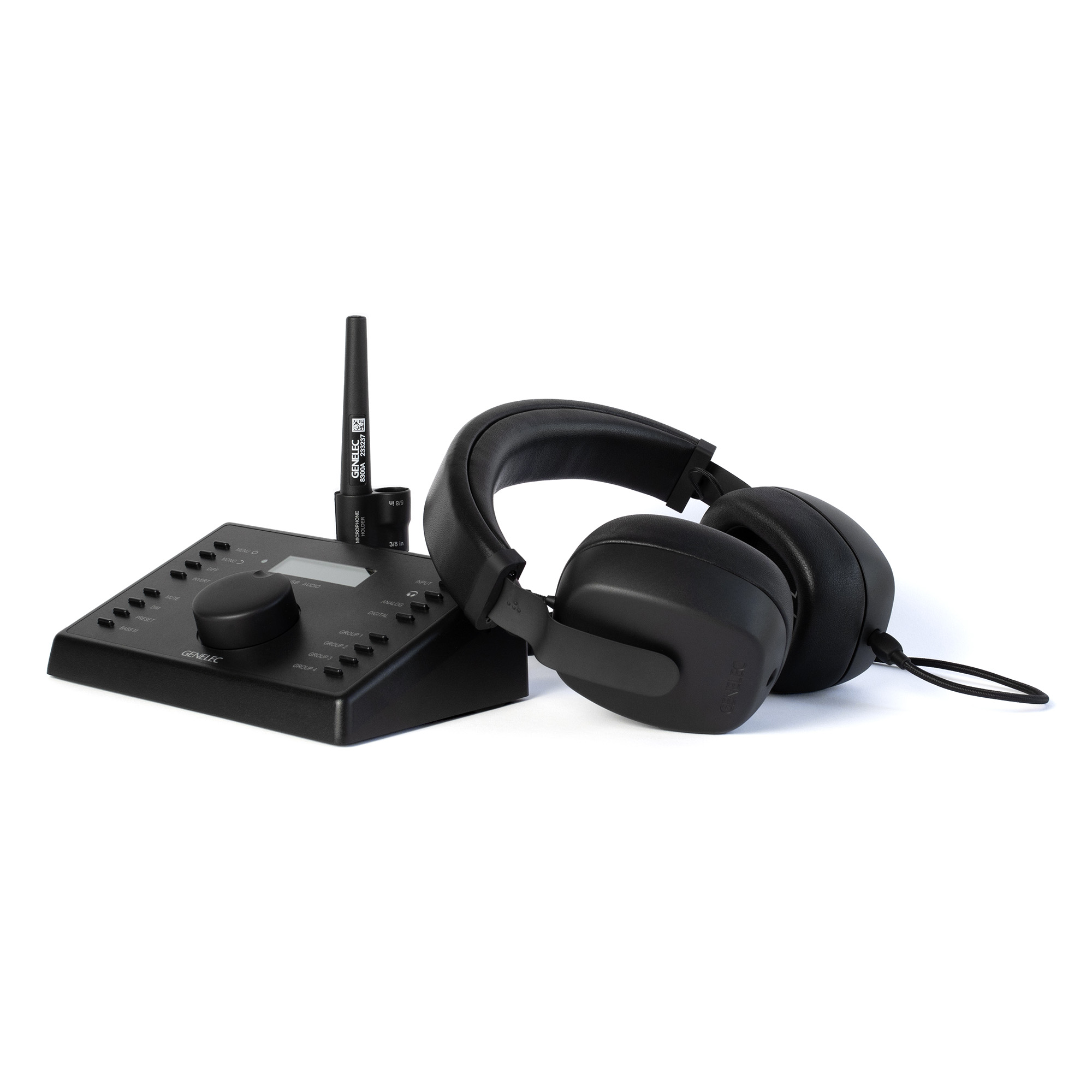
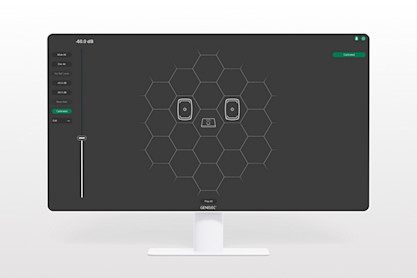
For total accuracy on headphones – from stereo to immersive – this setup has everything needed. Your unique Aural ID HRTF profile, created using our easy mobile app, ensures virtual monitors are presented in the perfect way for your ears – while Aural ID Head Tracker keeps them locked in position when you move. Our Personal Reference Monitoring (PRM) System provides the optimal hardware, a factory-calibrated and -paired audio output interface and headphone set of the finest quality. Together, these elements provide uncoloured, spatially correct headphone monitoring of unmatched precision.
Add the Ultimate Cross Reference
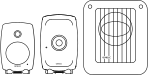
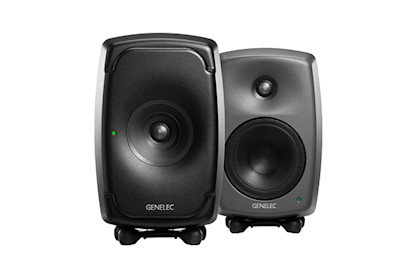
For superior Aural ID Application accuracy and the most seamless switching between in-room and headphone monitoring, we recommend using our intelligent Smart Active Monitors (SAM™) as your cross reference.
How it works

Acquire a Personal Reference Monitoring Solution from your preferred Genelec dealer www.genelec.com/where-buy
In MyGenelec, navigate to shop, activate your Aural ID licence and purchase your unique HRTF profile.
Then go to downloads and download the Aural ID Application.
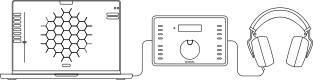
Set up and calibrate your PRM Solution with GLM, following the instructions on the Quick Setup Guide inside the package.
Install Genelec Aural ID Creator app in Apple App Store or Google Play Store and log in to your MyGenelec account.
Create your HRTF profile according to the instructions given in the app.
Create your HRTF profile according to the instructions given on the app. It's good to have a friend helping to capture the needed footage.
Our experts will check and process your data - and contact you if needed.
We'll notify you by email when your Aural ID HRTF is ready.
Adjust settings in Aural ID Application with our Quick Setup Guide

Launch Aural ID Head Tracker.
Combining Aural ID technologies and the PRM Solution with our Smart Active Monitors, you can achieve the best possible reference across both loudspeaker monitoring and headphones. www.genelec.com/sam-studio-monitors-subwoofers
Get to know these elements
How to Order Your Personal HRTF
In MyGenelec, navigate to shop, activate your Aural ID licence and purchase your unique HRTF profile.
Then go to downloads and download the Aural ID Application.
Install Genelec Aural ID Creator app in Apple App Store or Google Play Store and log in to your MyGenelec account.
Create your HRTF profile according to the instructions given in the app.
Our experts will check and process your data - and contact you if needed.
We'll notify you by email when your Aural ID HRTF is ready.
Guide and Get Started ›
Aural ID 2.1 Quick Setup Guide
Watch Our Quick Setup Video
Genelec expert Marcel Schechter explains the new features of Aural ID Application 2.1 and how to set the software up.


FAQ
You can use any pair of reliable professional quality headphones with Aural ID Application 2.1. Certain headphone models are supported for the Full HRTF mode.
Yes, you can evaluate Aural ID Application 2.1 before purchasing it. A 30-day free trial with full functionality is available, which allows you to explore how the software can enhance your workflow. This trial enables all aspects of the software and provides access to Kemar and KU100 head HRTF information. After the trial, the application is available via either an annual subscription or a perpetual licence.
Aural ID Technology improves the listening experience by addressing the variability of human hearing through the use of a personal (your own) Head-Related Transfer Function (HRTF). By accounting for an individual’s unique way of perceiving the direction and colour of audio, the software transforms headphone output into a more neutral and truthful listening experience. This is crucial for achieving uncompromised monitoring accuracy, allowing professionals to trust every detail they hear whether they are mixing stereo music or crafting complex immersive audio.
For immersive audio production, the technology enhances the reliability of critical decisions involving object placement, spatial adjustments, and three-dimensional sound imaging. This ensures that spatial positioning, depth, and tonal balance remain consistent when a mix is played back on systems outside of the studio. In stereo production, Aural ID Application improves the experience by mitigating common headphone challenges such as spectral imbalance and listener fatigue. By enabling access to a natural and balanced frequency response tailored to the specific user, it allows for clearer judgment of EQ, dynamics, and stereo imaging.
The software bridges the gap between headphone and loudspeaker monitoring by offering an exhaustive set of tools for personal calibration of virtual loudspeaker positioning (azimuth and elevation) and subjective sound colour. Features like head tracking and low frequency envelopment controls further refine the experience, providing a more intuitive and fluid creative environment that simulates a traditional monitor setup. Overall, enhancements in Aural ID Application provide audio professionals with the confidence to deliver content that meets high standards, regardless of their physical location.
Using the generic Kemar and KU100 head HRTF information Aural ID Application can be immediately used. The software comes with an intuitive and fast personal calibration process, allowing alignment of azimuth and elevation positions of every individual virtual monitor, their levels and the complete playback system sound colour, and this makes even the generic HRTFs accurate for monitoring.
Aural ID Application is specifically designed to use your own Head-Related Transfer Function (HRTF) to provide the most accurate and truthful listening experience by reflecting your unique way of hearing the direction and colour of audio. For this, Aural ID requires you to submit data, such as a video and photos of your upper torso, head and ears, to Genelec’s cloud calculation service to generate your own HRTF profile. The data capture is done using the Genelec Aural ID Creator mobile app.
Aural ID Application 2.1 is available through two primary purchasing models: an annual subscription and a perpetual licence. A 30-day free trial is offered, which allows users to evaluate all aspects of the software using generic Kemar and KU100 head HRTF information before making a purchase.
Regarding platform availability, the application supports Mac OS on both modern Apple Silicon and certain Intel CPU computers. It functions as independent software that installs as a virtual sound card on your system.
Please note that specific pricing figures are available on the Genelec website, at genelec.com/aural-id.
Aural ID Application as Part of the UNIO Audio Monitoring Ecosystem
Combining Aural ID Application with other elements of our UNIO Audio Monitoring Ecosystem offers a way to create the perfect setup and smoothest possible bridge between headphone and loudspeaker monitoring.
Learn more ›
Documentation
Documents
Aural ID 2.1 Quick Setup Guide (pdf) Aural ID 2.1 Software Release Note Aural ID 2.1 System Operating ManualFAQ
You can use any pair of reliable professional quality headphones with Aural ID Application 2.1. Certain headphone models are supported for the Full HRTF mode.
Yes, you can evaluate Aural ID Application 2.1 before purchasing it. A 30-day free trial with full functionality is available, which allows you to explore how the software can enhance your workflow. This trial enables all aspects of the software and provides access to Kemar and KU100 head HRTF information. After the trial, the application is available via either an annual subscription or a perpetual licence.
Aural ID Technology improves the listening experience by addressing the variability of human hearing through the use of a personal (your own) Head-Related Transfer Function (HRTF). By accounting for an individual’s unique way of perceiving the direction and colour of audio, the software transforms headphone output into a more neutral and truthful listening experience. This is crucial for achieving uncompromised monitoring accuracy, allowing professionals to trust every detail they hear whether they are mixing stereo music or crafting complex immersive audio.
For immersive audio production, the technology enhances the reliability of critical decisions involving object placement, spatial adjustments, and three-dimensional sound imaging. This ensures that spatial positioning, depth, and tonal balance remain consistent when a mix is played back on systems outside of the studio. In stereo production, Aural ID Application improves the experience by mitigating common headphone challenges such as spectral imbalance and listener fatigue. By enabling access to a natural and balanced frequency response tailored to the specific user, it allows for clearer judgment of EQ, dynamics, and stereo imaging.
The software bridges the gap between headphone and loudspeaker monitoring by offering an exhaustive set of tools for personal calibration of virtual loudspeaker positioning (azimuth and elevation) and subjective sound colour. Features like head tracking and low frequency envelopment controls further refine the experience, providing a more intuitive and fluid creative environment that simulates a traditional monitor setup. Overall, enhancements in Aural ID Application provide audio professionals with the confidence to deliver content that meets high standards, regardless of their physical location.